

Web Production Progress Control
Web Production Progress Control – IN.DA.CO
IN.DA.CO is a fully web-based application able to manage and monitor the production function of a company.
IN.DA.CO allows you to track:
- • Production times
- • Production downtime (non-productivity) with related cause classification
- • Quantities produced and production scrap
- • Compliance with operational sequences planned in the production schedule, especially the correct declaration of quantities produced
- • Man/machine association for each work phase
BENEFITS
- • Data collection occurs in real time and in a controlled manner
- • Each operator can declare the activity and the machine they are working on, and the software can dynamically create operator teams and work simultaneously on different phases, automatically distributing working hours
- • Declarations are verified at the time of registration to avoid any later management needs and reduce error correction time to zero
- • Data is accessible from all company PCs connected via Intranet or Internet
LET’S GO INTO DETAIL
WORK ORDERS
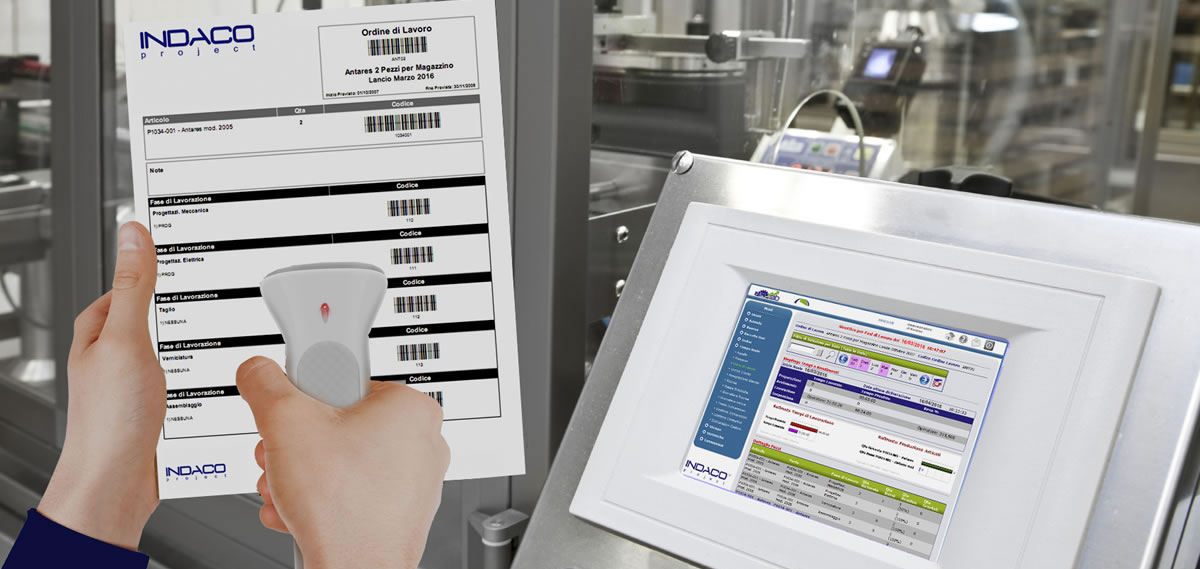
To signal the start of their activity, each operator must enter data related to their badge and the type of activity they are about to perform. These data can be entered via optical, RFID, or magnetic readers, with keyboard support.
The work order is automatically generated by IN.DA.CO.
For each item to be produced, the program retrieves the necessary processing phases from the company’s management system. Each phase is associated with a unique processing code in the form of a barcode, which the operator will use to declare progress.
The work order, like all documents generated by the program, is available in Pdf, Excel, Word, Rtf, Xml, and plain text formats.
Touch Screen
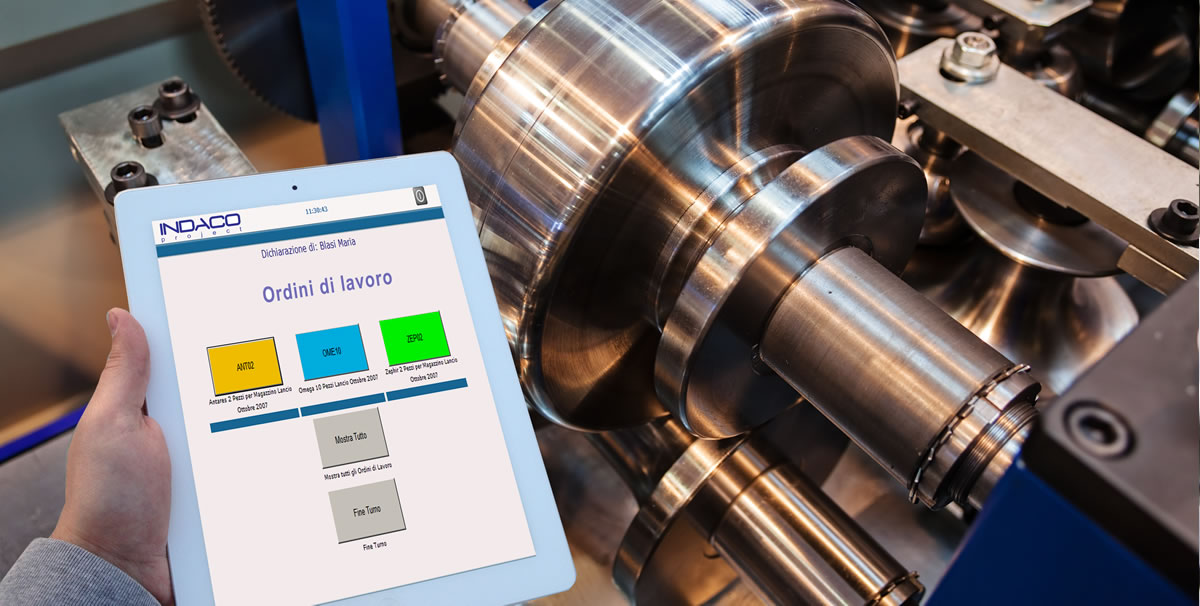
An additional mode of declaration is the touch screen, which eliminates the use of paper. A badge reader is connected to the monitor. By approaching their badge, the operator will see the work orders assigned to them and can select the one of interest quickly and easily.
PRODUCTION PROGRESS
Real-time Monitoring
The management dashboard provides real-time information on what is happening in the company during ongoing production. Selecting “real-time” from the menu, various synoptic panels can be viewed, each providing information from different perspectives.
For example, you can choose to see a summary based on orders or individual operators.
For the operator, the program displays how many and which pieces they have made, how long it took, and the production phases passed through. The ratio between these values corresponds to production efficiency, allowing immediate knowledge of whether the work is progressing quickly or – on the contrary – too slowly.
Synoptic Maps
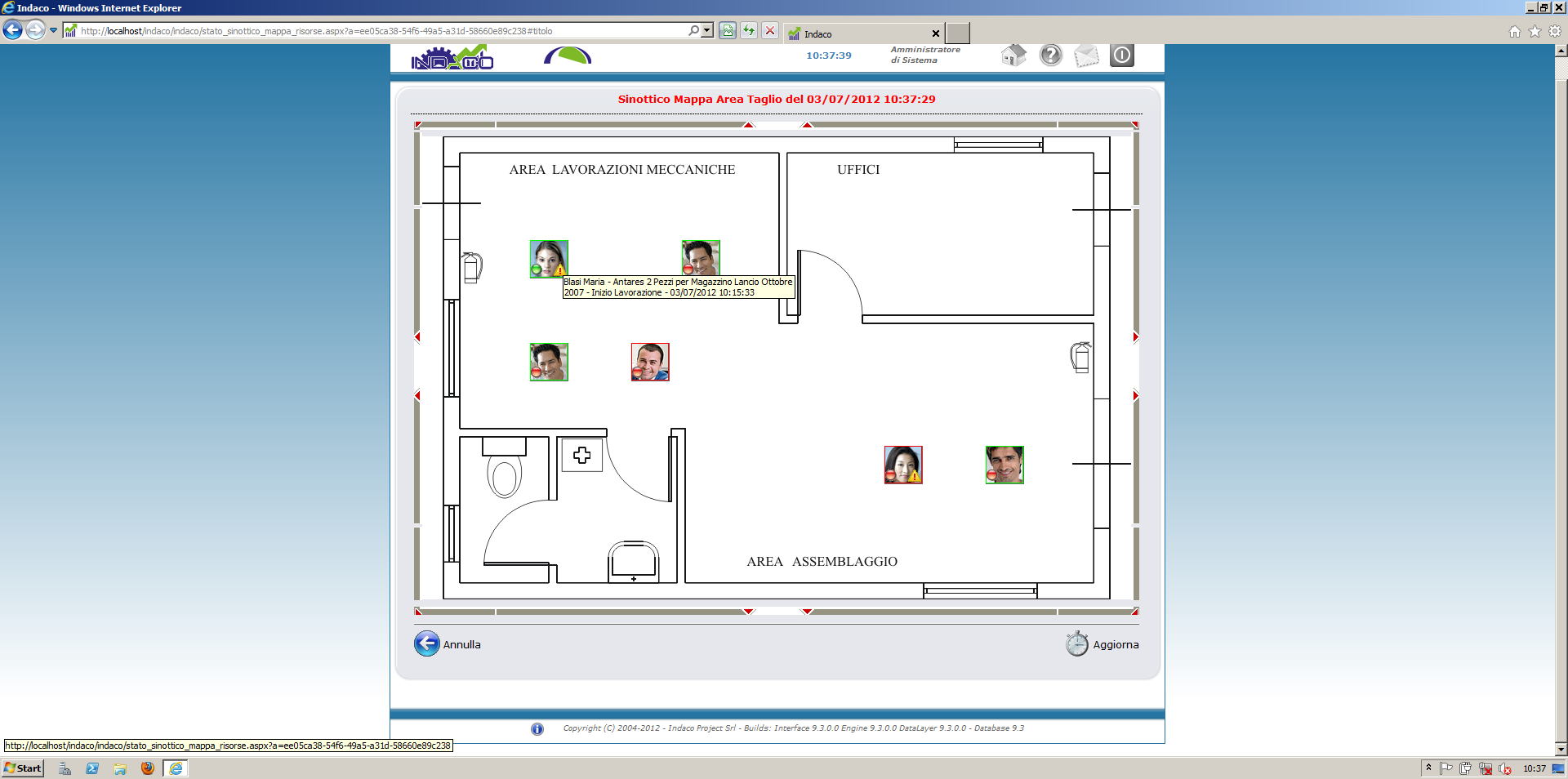
Selecting “synoptic maps” from the “Real-time” menu shows production department maps, each with a layout of resource positioning. Simple and intuitive graphic symbols allow quick recognition of whether a worker is present in the company or performing an activity.
It is also possible to set parameters to alert the supervisor if a worker does not declare any activity for too long.
Daily View
The daily view allows detailed inspection of each individual operator by the selected day, providing the operator’s “daily production card,” the ideal place to check their production status. The program performs a reconciliation with the official presence hours to verify compatibility and signals any anomalies.
Following information are displayed:
Following information are displayed:
- • The production orders the operator worked on
- • Time spent on each phase
- • The type of piece produced and related quantity
Control Prints
Control printing allows verification of all employees' work and correction of any anomalies. It is highly customizable with filters for which employees to check and parameters for control, such as limiting the display only to people with more than 15 minutes difference between presence time and work time.
A convenient option allows the program to automatically send the generated document to a selected email inbox at a predetermined date and time. This enables the manager to check the previous day’s work status every morning without having to launch IN.DA.CO or be at their PC.
DATA COLLECTION AT CONSOLIDATION
IN.DA.CO allows operators to manually enter the list of activities performed at the end of the day (actual times), without real-time or detailed control of production. This feature is designed particularly for:
- • Operators performing high-level activities or handling multiple tasks simultaneously who cannot timely report every activity change
- • Companies whose production activity includes both internal and external phases (external phases can be declared at consolidation)
- • Subcontracted workers who handle only one production phase
Statistics
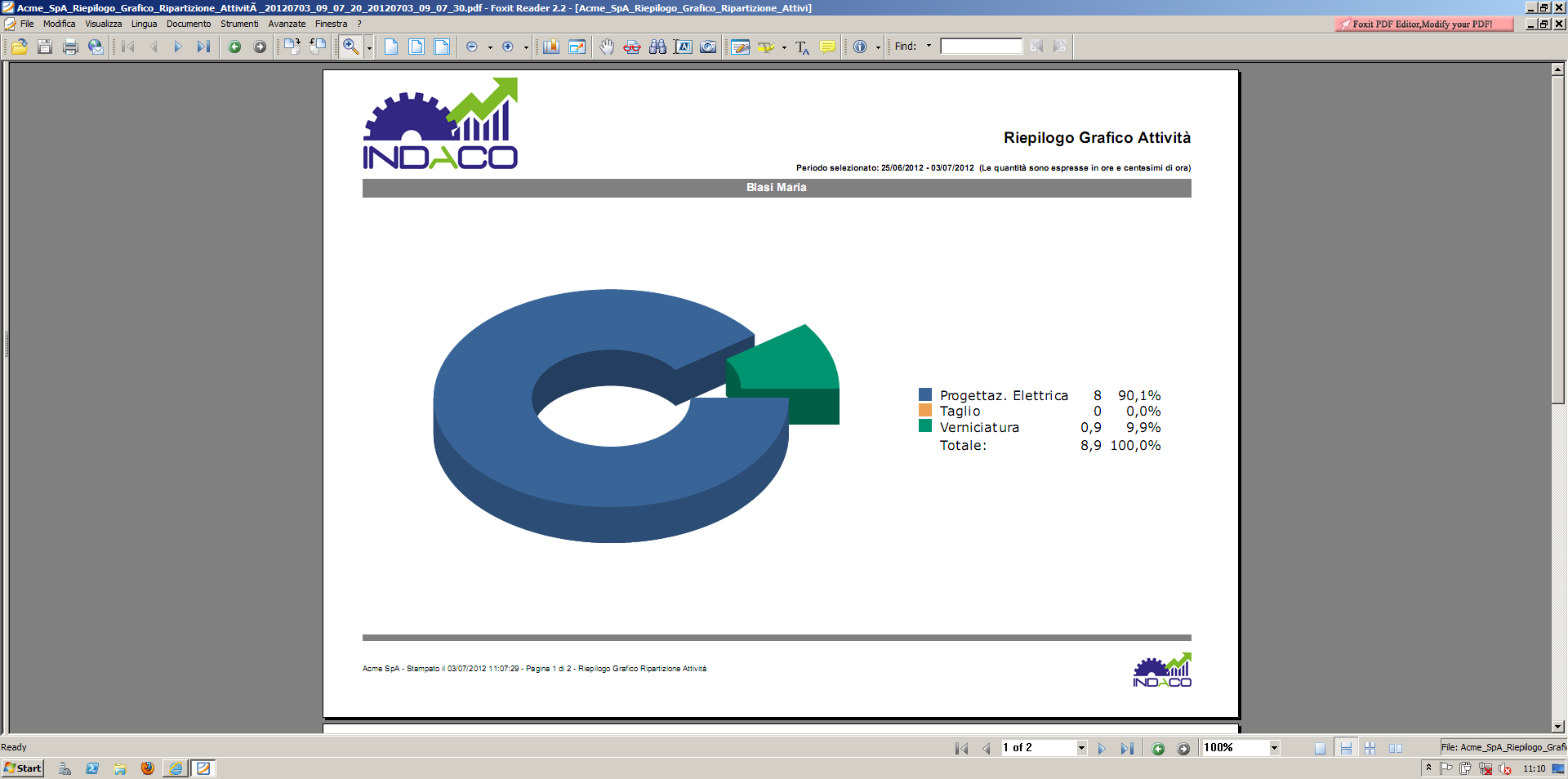
IN.DA.CO can produce statistics both for ongoing activities and completed ones, generating standard reports and client-customizable reports. Different aspects can be highlighted depending on the set parameters.
Statistics can be viewed per individual employee or for the entire company, by items worked on, processing phases passed, good and scrap pieces, and average pieces produced per hour.
The time breakdown is very precise: total time to produce a piece is divided into suspension time, preparation, startup, and processing time; it also provides the total time the resource took to produce each piece. The data accuracy allows identifying production weaknesses and addressing them to optimize the entire process.
Statistics are available both analytically and graphically for greater intuitiveness and ease of understanding.
INTERFACES
Management System Interface
IN.DA.CO can interface with management systems both for data input and output (import/export).
For input, it takes from the management system the data on items to produce and the necessary production phases. It assigns a code to each phase and monitors production progress. Upon completion, it returns data to the management system, which calculates production cost based on time and resources used.
It is possible to enable real-time communication of produced pieces as soon as they are declared, achieving truly real-time inventory management and production planning.
Attendance System Interface
IN.DA.CO can easily interface with attendance tracking systems, allowing reconciliation of production data and easier identification of errors made by the resource during declaration. The maximum allowed difference between activity time and presence time is a variable parameter adjustable per company requirements. Beyond this limit, the program alerts the supervisor.
IN.DA.CO TECHNICAL SPECIFICATIONS
Feature | Description |
|---|---|
Architecture | Web-based, built on Microsoft .NET Framework 4.0 and ASP.NET |
Required Web Server | Microsoft IIS |
Operating System Support | Microsoft Windows Server 2008, 2008 R2, 2012 |
Database Used | Microsoft SQL Server 2008, 2008R2, 2012, 2014 |
Supported Client Browsers | Microsoft Internet Explorer or higher, Mozilla Firefox 4 or higher, Opera 10 or higher |
Minimum Client Resolution | Minimum Client Resolution |
Server Disk Space | Typically 2 GB |
